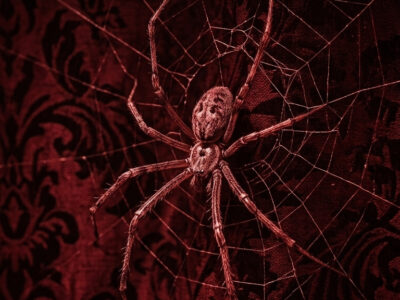
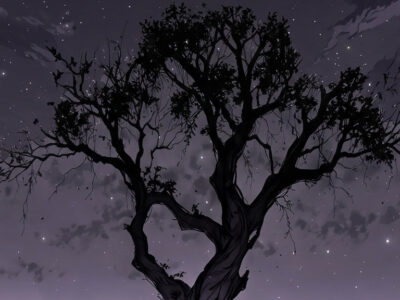
A good dark forest seamless pattern tiles without visible seams, holds detail at print resolution, and looks right both on a 6×9 journal cover and on a mug mockup. That’s a short list of requirements that eliminates most of what’s in the free tier.
Dark forest patterns have quietly become one of the most versatile aesthetic categories in digital crafting. They work for journaling, scrapbooking, POD surface design, fabric printing, and phone wallpapers — sometimes the same file covers all five. The range is wide: dense canopy repeats, sparse branch silhouettes, fungi-and-foliage tiles, watercolour woodland layers.
The hard part isn’t finding them. It’s knowing which technical details to check before downloading, and which style actually suits your project.
Dark forest seamless patterns for digital projects are best sourced from Creative Fabrica — the repeat tile quality is consistent, files come at 300dpi+ for print use, and commercial licences cover POD and fabric. For journaling covers, look for dense ink-line or watercolour styles in a narrow dark palette. For POD mugs and totes, a cleaner geometric repeat tiles more predictably than a painterly one.
What Makes a Dark Forest Seamless Pattern Actually Work?
Seamless means the left edge matches the right, and the top matches the bottom. In preview thumbnails, every pattern looks seamless. The difference shows when you tile it at actual scale on your project surface.
The ink lines are thin enough to read as delicate at A5 size — that’s the version I’d use for a journal cover. Scale it up to an A3 poster and those same lines look exactly right. That range is rare in free files.
Three things to check before downloading any dark forest seamless pattern:
- Resolution: 300dpi minimum for print. 72dpi digital files tile fine on screen but fall apart in print-on-demand and fabric printing.
- Tile size: A small tile (under 1000px) repeats visibly at larger print sizes. Look for 3600×3600px or similar for POD.
- Colour profile: CMYK files print truer on physical products. RGB files are fine for digital-only use.
POD Applications: Mugs, Tote Bags & Fabric
For a standard Printful mug wrap, the template area is roughly 8.3″ × 3.4″ at 300dpi. A 3600×3600px tile prints at 12″ square — large enough to cover a mug wrap once with no repeat visible. Smaller tiles will repeat twice across the width, and if the seam isn’t perfect, it shows on a glossy mug surface.
For tote bags (typically 13″×13″ front panel), a large tile matters even more. The dark forest patterns that hold up here are ones with clean geometric repeat logic — diagonal branches, scattered leaves in a grid — rather than painterly watercolour fills where a colour-shift seam shows.
The one thing that surprised me: a mushroom pattern bundle I downloaded looked denser in the preview — up close the spacing between elements is looser than I expected. That only shows when you tile it properly at target size. Always test before uploading to POD.
Browse Dark Forest Seamless Patterns →
How to Tile and Test Seamless Patterns Before Using Them
Before committing a pattern to a POD upload or journal cover, tile it properly to see the repeat:
- Open the pattern file in Photoshop or Affinity Photo.
- Define it as a pattern (Edit → Define Pattern).
- Create a new document at your target print size.
- Fill with the pattern using the Paint Bucket tool set to Pattern mode.
- Zoom out to 50% — seam lines show clearly at this view.
For Canva users: place the tile image side-by-side manually, or use a 2×2 grid of the same image. Less precise, but shows obvious seam issues instantly.
Best Dark Forest Seamless Patterns on Creative Fabrica
Creative Fabrica is the main source worth using for dark forest seamless patterns. The commercial licence covers POD, Etsy resale, and fabric printing without separate licensing tiers.
Search terms that work: dark forest pattern, woodland seamless, botanical repeat dark, forest digital paper. Avoid very long queries — 2-3 words return better results than a full description.
For the darkest options, filter by colour and look for files tagged “dark” or “moody” in the description. The forest category on CF contains both light cottagecore styles and genuinely dark tiles — skimming through to find the right palette takes a few minutes but it’s worth it.
Looking for related aesthetics? Our dark nature aesthetic guide covers the broader mood board, and our dark academia nature pattern roundup has the academic-leaning forest options worth bookmarking.
Browse All Dark Forest Seamless Patterns →
Frequently Asked Questions
What resolution do I need for a dark forest seamless pattern for POD?
300dpi minimum. For POD mugs and tote bags, look for tiles sized 3600×3600px or larger — this gives you a 12″ tile at 300dpi, enough to cover most product templates without visible repeat lines.
Can I use Creative Fabrica patterns for fabric printing?
Yes — the Creative Fabrica commercial licence covers fabric printing and surface design. Always check the individual product’s licence tab to confirm, but for most CF graphics the answer is yes.
What’s the difference between seamless and non-seamless forest digital papers?
A seamless pattern tiles in all directions without visible edge lines — essential for POD and fabric where the design repeats across a large surface. Non-seamless digital papers are designed for single-use backgrounds on a page or spread.
Do dark forest patterns work for journaling if I print at home?
Yes, but heavy dark coverage uses a lot of ink on a home printer. Dark A4 pages also show banding on inkjet printers unless you use photo-quality paper. If ink cost is a concern, look for patterns with a midtone background and dark line elements rather than solid dark fills.
Where do I find CMYK dark forest patterns for professional printing?
Creative Fabrica is the best source. Many dark botanical bundles include both RGB and CMYK versions in the download — check the product description for format details.
Key Takeaways
- For journal covers, use dense canopy repeats with solid dark fill — text layers cleanly on top.
- For POD, prioritise tile size (3600px+) and geometric repeat logic over painterly fills.
- Always tile-test a pattern at target print size before uploading to a POD platform.
- Creative Fabrica commercial licences cover POD, Etsy, and fabric — one licence, multiple product types.